PayPal
Send the payment to [email protected] (Friends and Family, or Goods and Services).
 Maynor Urbina Borge welcomes you
I'm the developer behind URBBOR. I build every one of its programs, and I'm happy to help you pick the right one.
Maynor Urbina Borge welcomes you
I'm the developer behind URBBOR. I build every one of its programs, and I'm happy to help you pick the right one.
Jukebox software · DJ software · music organizer
A digital jukebox for bars with YouTube, credits and a bill acceptor; two-deck DJ software with a Mexican-Spanish AI announcer; and an organizer that adds real cover art to your whole library. For Windows 10 and 11.
New · URBBOR DJ 1.2.1 Control your DJ from a tablet with URBBOR DJ Control, free with URBBOR DJ → Want it your way? We build the software with your logo, your colors and your features →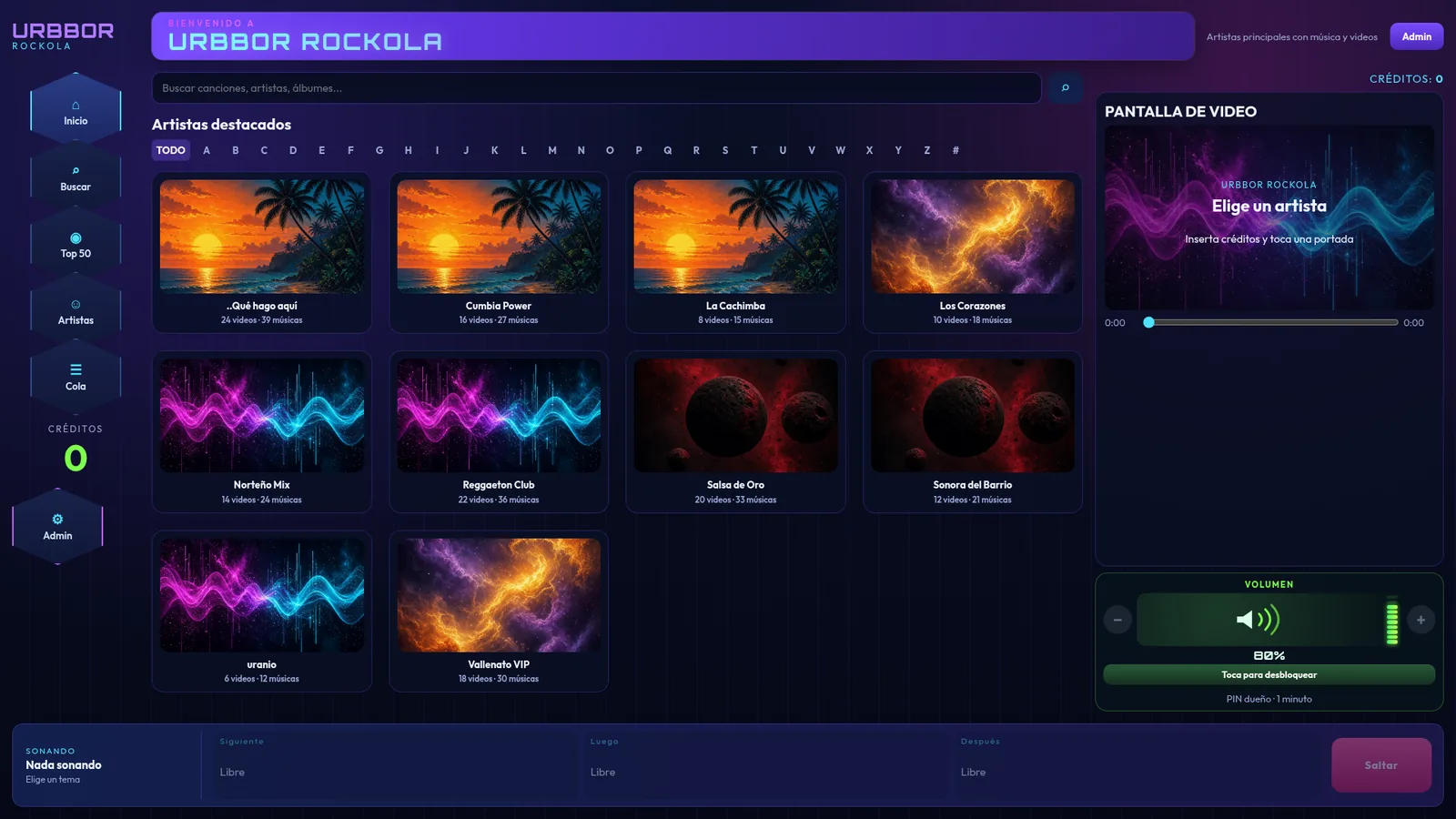
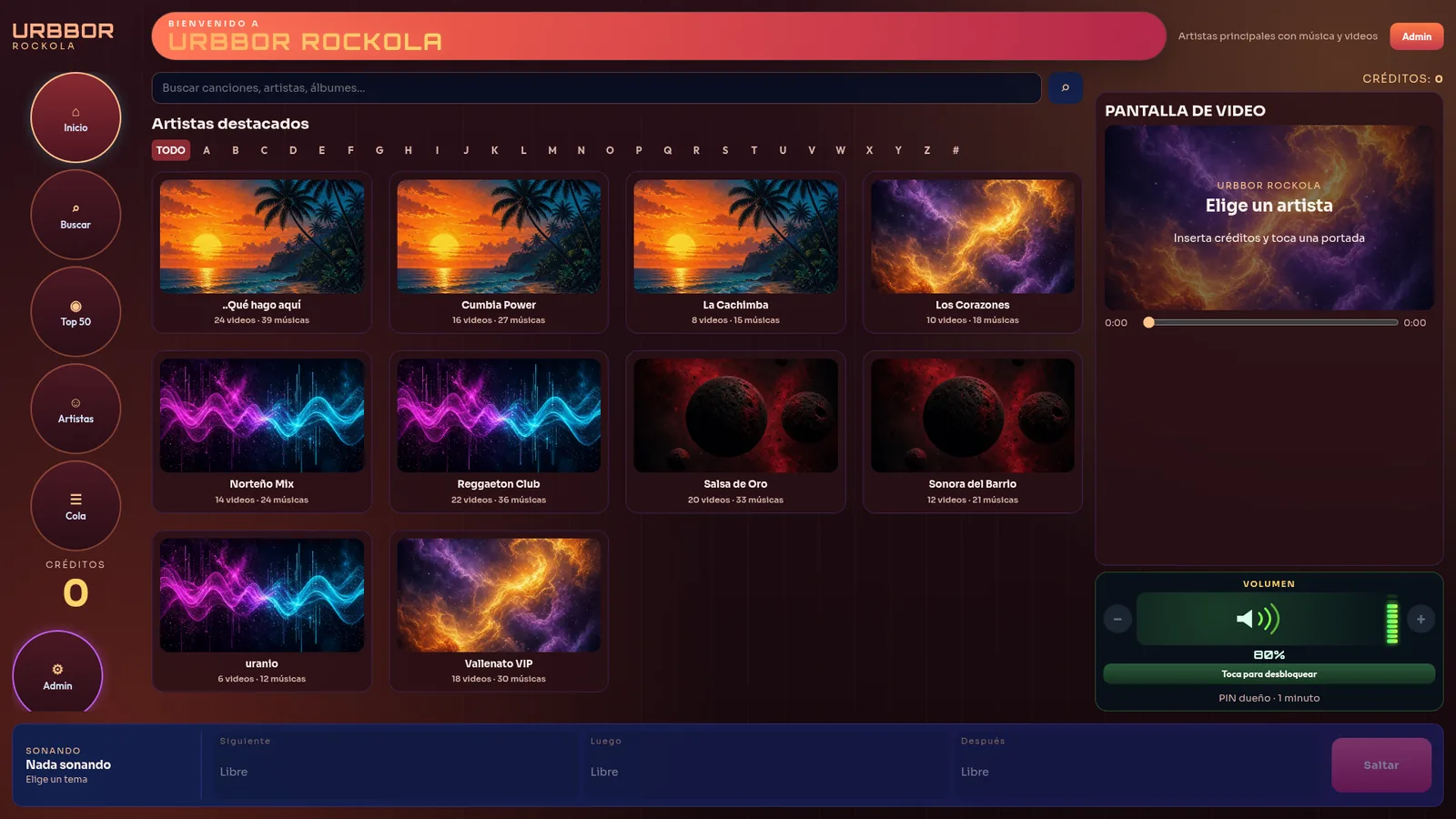
Digital jukebox for bars · touchscreen jukebox software
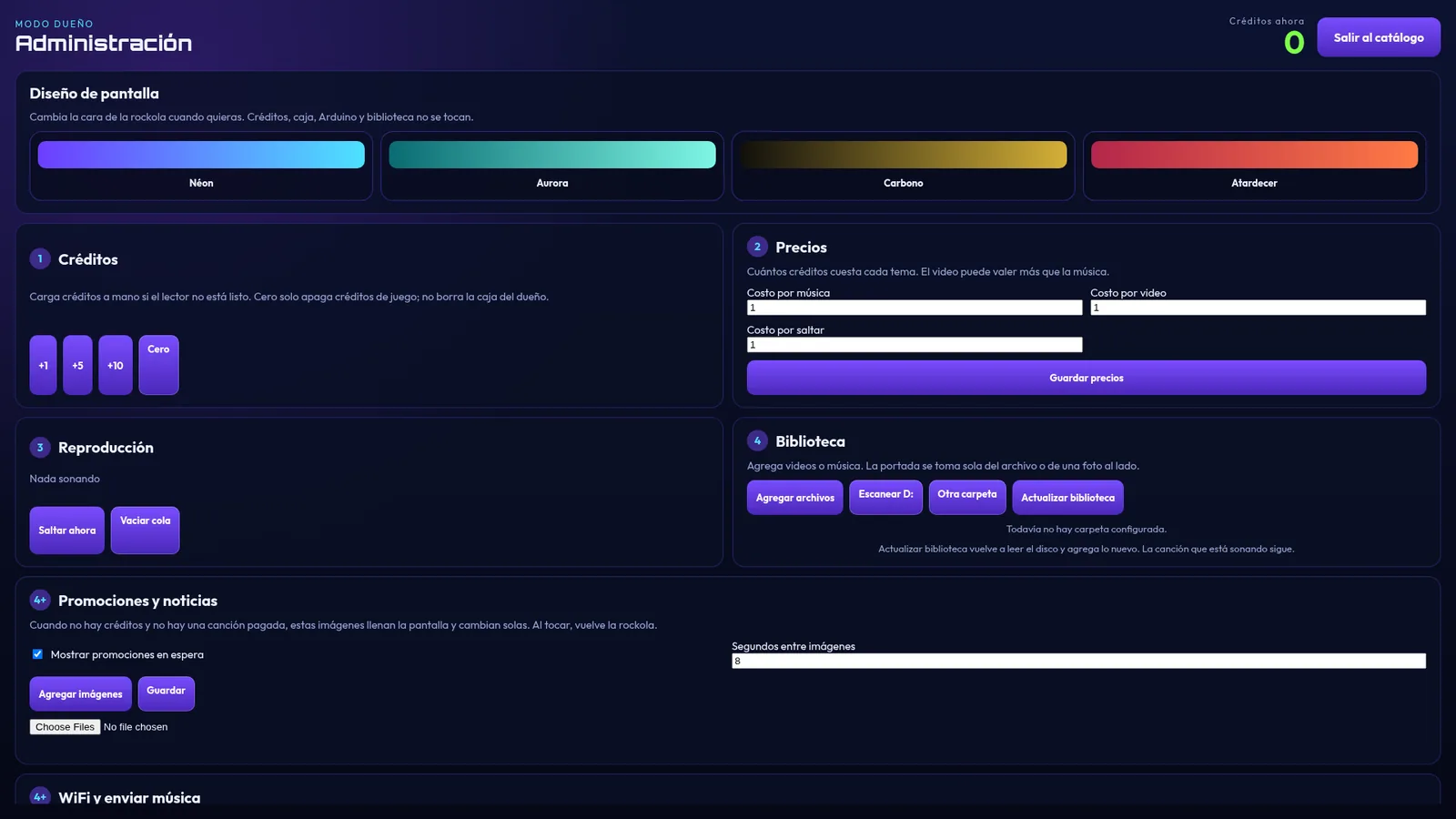
Turn a touchscreen PC into a digital jukebox for bars and businesses that takes the money for you: music and videos from your drive, YouTube, credits, and a bill and coin acceptor.
Screenshots of the real interface with a demo library.
Windows 10 or 11, 64-bit · touchscreen recommended · Internet only for YouTube
DJ software for Windows
DJ software with two decks, effects, a mic input, recording, and an announcer with a Mexican-Spanish neural voice that talks for you.
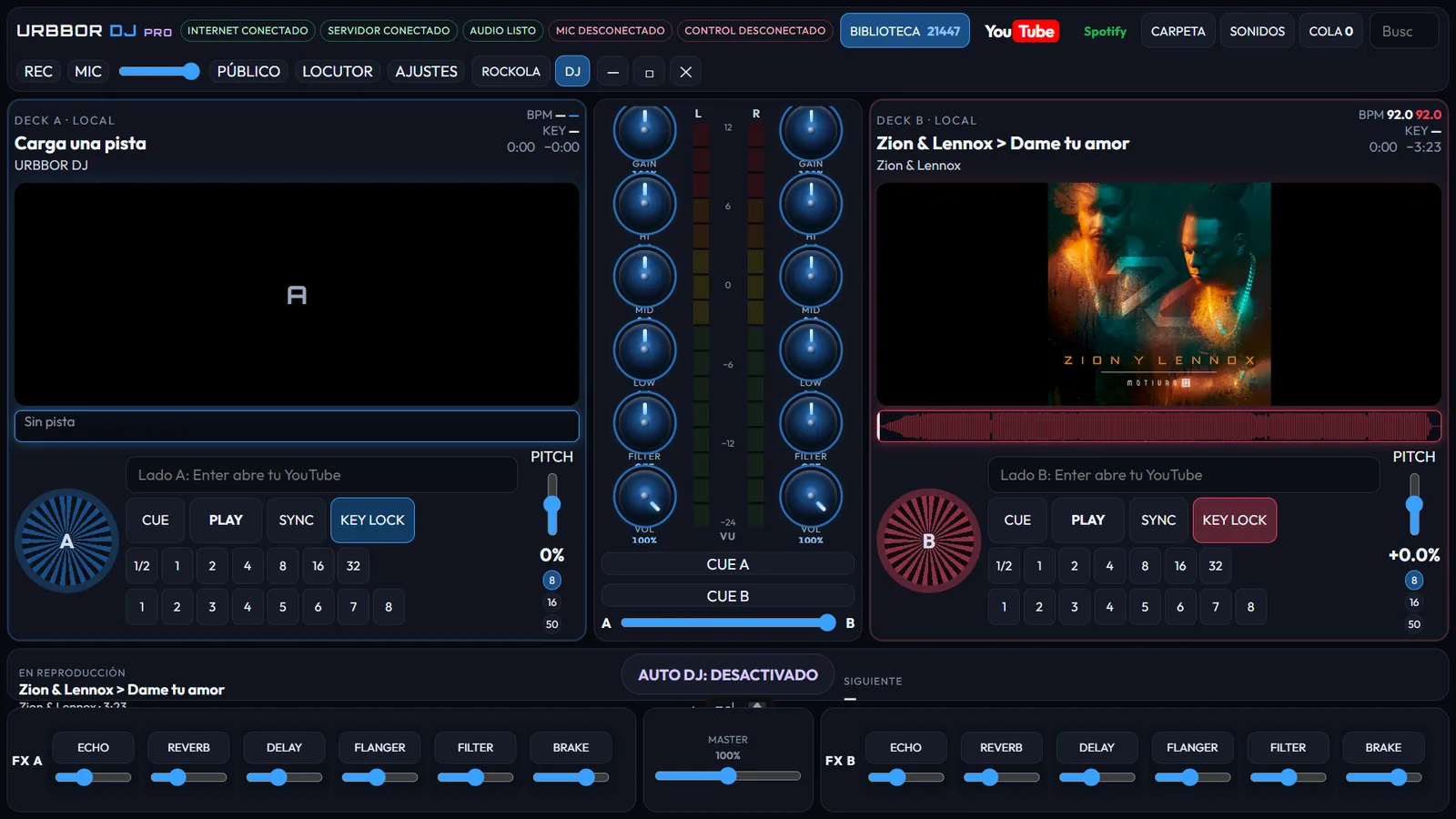
Screenshots of the real interface, no tracks loaded.
Windows 10 or 11, 64-bit · Internet for YouTube, the announcer and QR requests
Music organizer for jukeboxes
Sorts music and videos for your jukebox and adds real cover art automatically.
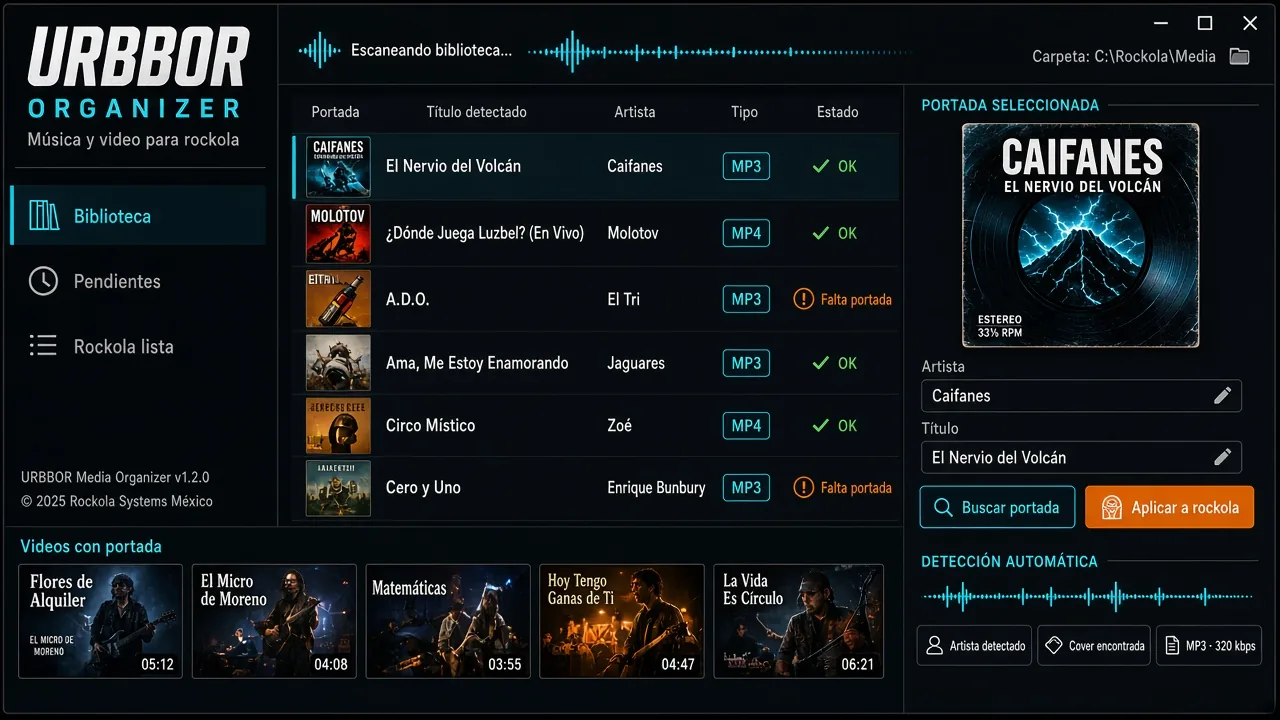
Official cover image and a screenshot of the real 1.1.0 interface.
Complete bundle
All 3 licenses for one PC. Save $109 USD compared to buying them separately.
Custom software
Want the jukebox with your business name, your colors or a special feature? Or do you need a complete program built just for you? Tell us your idea and we'll send you a quote.
One license per PC
Each program is activated with a code for that computer. If it's copied to another PC, it won't open.
Pay with PayPal or Zelle, or order your license on WhatsApp.
Download the installer and run it on the PC where you'll use it.
The program shows you “this PC's code”. Send it on WhatsApp along with your payment receipt.
We send you your installation code (UR-XXXX-…). Type it in, tap Activate and you're done.
Send the payment to [email protected] (Friends and Family, or Goods and Services).
Pay with Zelle to [email protected]. US bank accounts only.
After paying, send your receipt and your PC code on WhatsApp.
Installers
The program asks for an activation code when it opens: it doesn't run without a license.
Version 1.0.22 · Windows 10/11 64-bit
Request link on WhatsAppVersion 1.2.1 · Windows 10/11 64-bit
Request link on WhatsAppVersion 1.1.2 · Windows 10/11 64-bit
Request link on WhatsAppLearn
How to build a digital jukebox, connect a bill acceptor, add YouTube and more.
 How to build a digital jukebox, step by stepGuide to building a touchscreen digital jukebox for a bar: which PC and screen to use, sound, bill acceptor, jukebox software, music and pricing setup.Read guide →
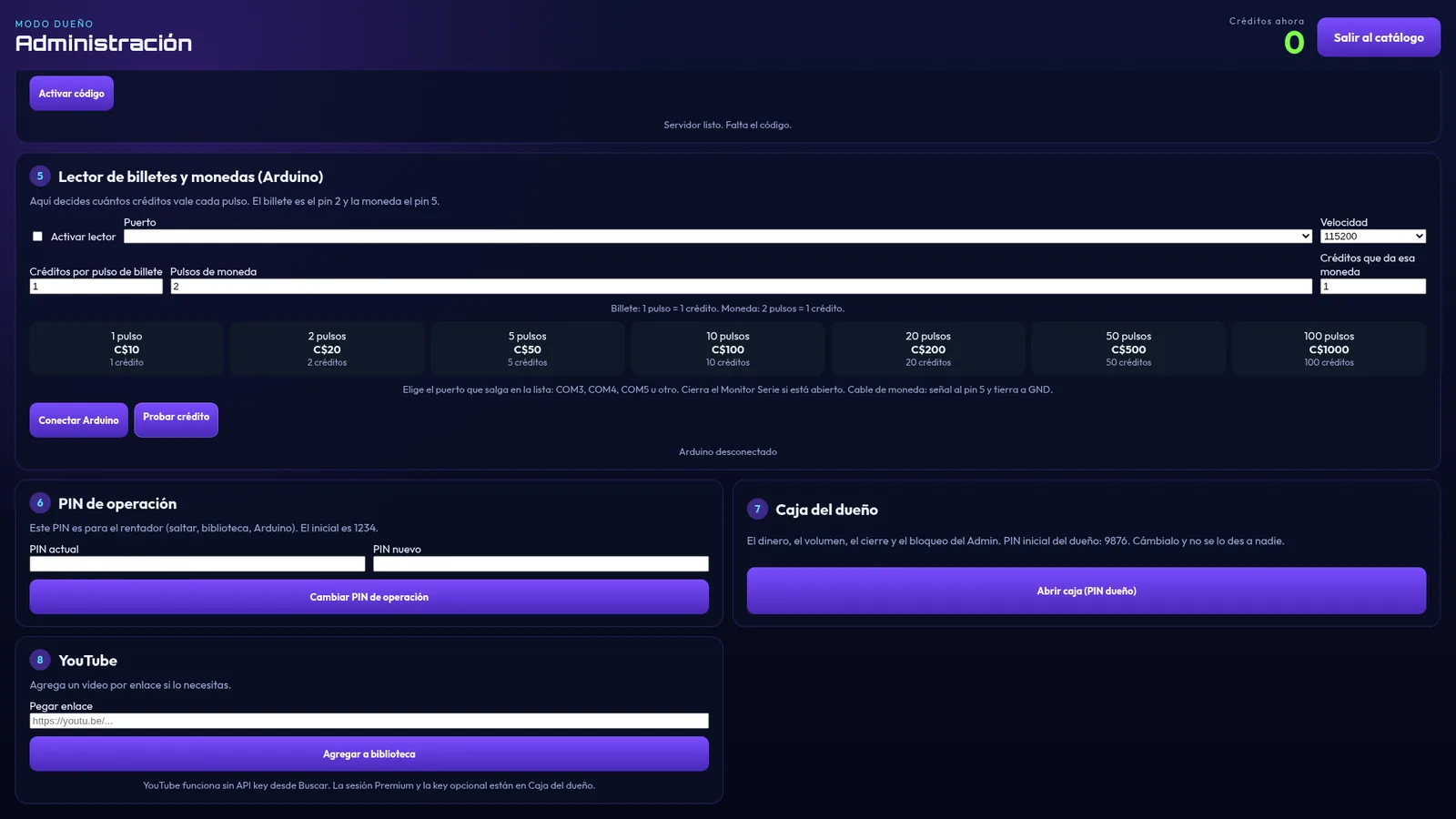 Jukebox with a bill and coin acceptor: how it works and how to connect itHow to connect a bill or coin acceptor to a digital jukebox with an Arduino Leonardo, how many credits to give per pulse and how the owner's cash box works.Read guide →
Jukebox with YouTube: how to add YouTube videos to your jukeboxHow a digital jukebox with built-in YouTube works: customers search, pick a video and pay like a song. No API key, and no ads with YouTube Premium.Read guide →
Jukebox with a bill and coin acceptor: how it works and how to connect itHow to connect a bill or coin acceptor to a digital jukebox with an Arduino Leonardo, how many credits to give per pulse and how the owner's cash box works.Read guide →
Jukebox with YouTube: how to add YouTube videos to your jukeboxHow a digital jukebox with built-in YouTube works: customers search, pick a video and pay like a song. No API key, and no ads with YouTube Premium.Read guide →
 How to choose jukebox software for your bar: 10 key pointsWhat to check before buying jukebox software: touchscreen, bill acceptor, cash box and reports, PINs, YouTube, video, one-time license and support.Read guide →
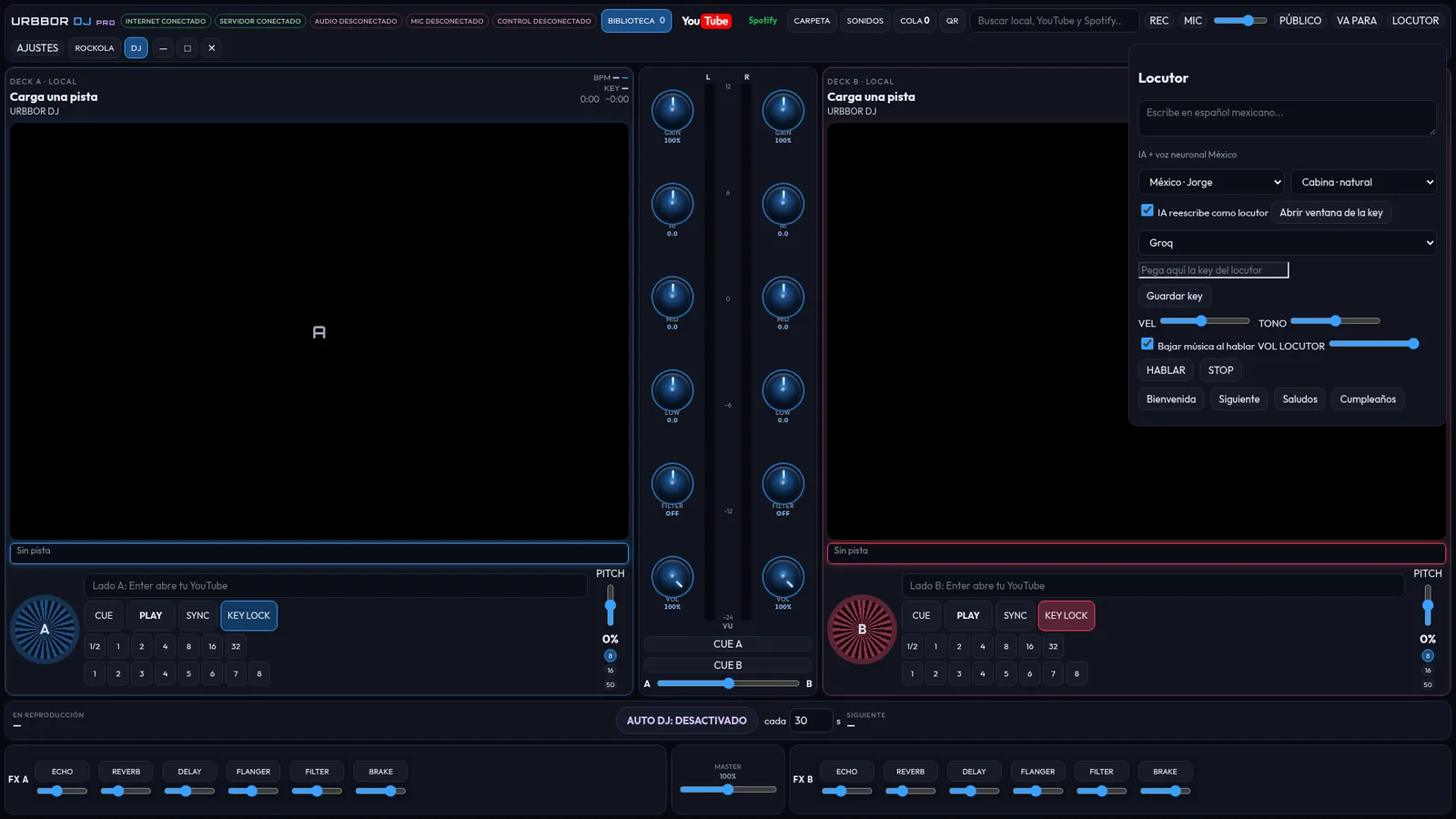 AI voice announcer for DJs and parties, in Mexican SpanishHow to use an AI voice announcer with Mexican-Spanish neural voices to announce promos, birthdays and shout-outs at your parties and in your bar.Read guide →
Windows 10 and Windows 11, 64-bit. The installer includes the program and everything it needs (including WebView2). A touchscreen is recommended for the jukebox.
Yes. Each license is activated with that computer's code. If you need more PCs, get one license for each.
Message us on WhatsApp with the new PC's code and we'll tell you what to do next.
Only for YouTube. Music and videos from the drive work offline.
It's not required: YouTube search works without an API key. If you have Premium, sign in once on the PC to play without ads.
An Arduino Leonardo connected by USB to a pulse-output bill or coin acceptor. In Admin you choose the port and how many credits each pulse is worth.
With PayPal or Zelle to [email protected], or message us on WhatsApp. Then send your receipt and your PC code on WhatsApp.
Yes. We build the software your way: brand, colors, features or a complete program. See custom software.
Message us to buy, activate your license or get a quote for custom software.